Schedule the Bot Ahead of Time
You can now invite Team Building Bot to a future meeting and have it join automatically at the start time, instead of joining straight away.
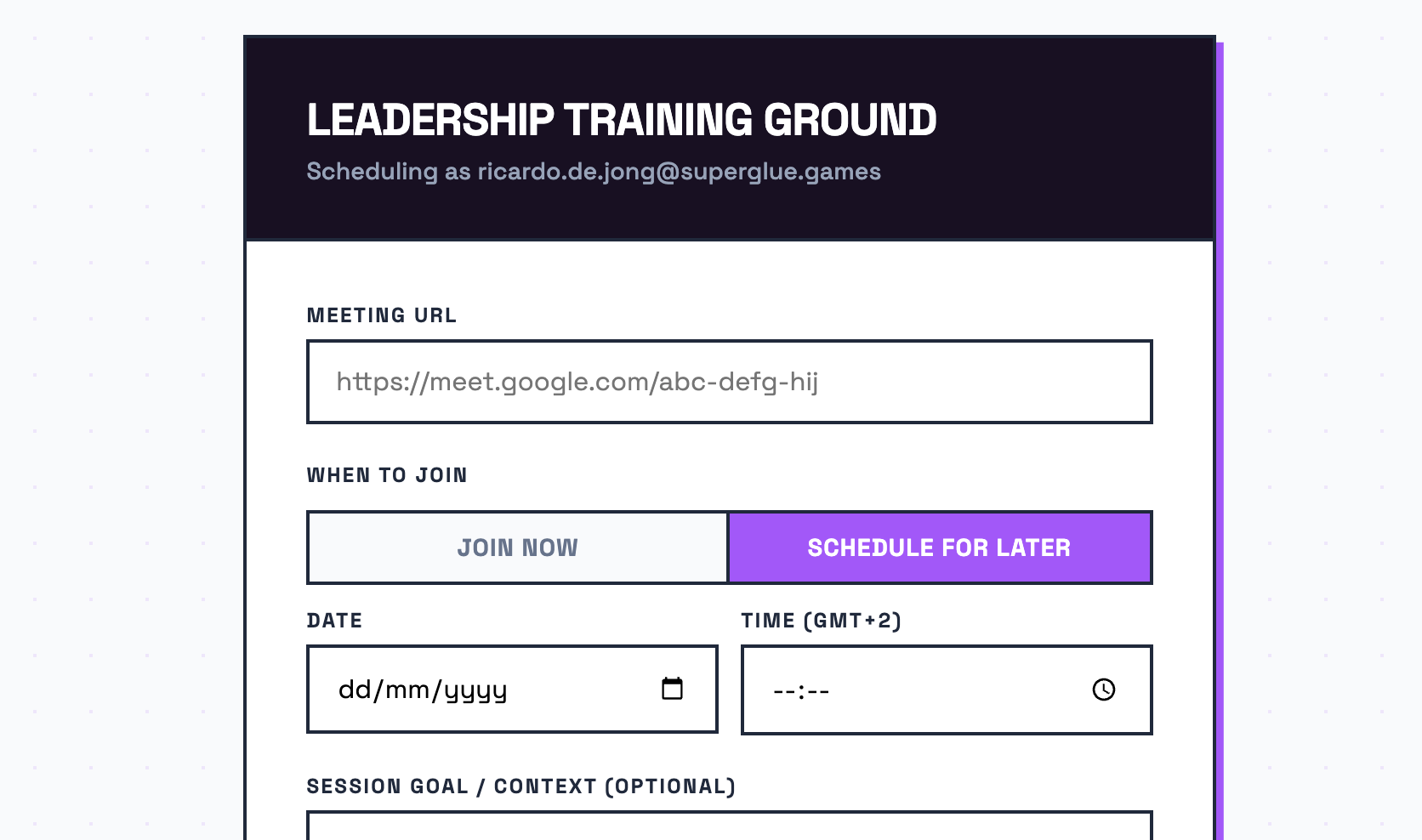
A small but genuinely useful change to scheduling: you can now tell the bot when to join, instead of it joining the moment you set it up.
Until now, scheduling the bot meant it tried to join right away. That worked fine if your meeting was about to start, but it was awkward when you wanted to set things up the day before, or first thing in the morning for a session later on. The bot would be sitting in an empty room long before anyone arrived.
How it works
When you schedule a session you’ll see a new “When to join” option. It defaults to “Join now”, so if nothing changes for you, nothing changes. Set it up and the bot joins as it always has.
If your meeting is later, choose “Schedule for later” and pick the date and time. The bot then waits and joins automatically at that moment. You can set it up whenever it suits you and forget about it until the reports land in your inbox.
A note on time zones
The time you pick is your own local time, shown with your time zone next to the field. No mental arithmetic, and no need to think in UTC. You set the time you’d write in your calendar, and we handle the rest behind the scenes.
Available now
The new scheduling option is live for everyone on the self-serve scheduling page. Give it a try with your next session, and let us know how it works for you.
Set up your next session in advance
Team Building Bot is free during beta. Schedule it for an upcoming workshop and the reports will be waiting for you afterwards.
No spam, no credit card. Unsubscribe any time.